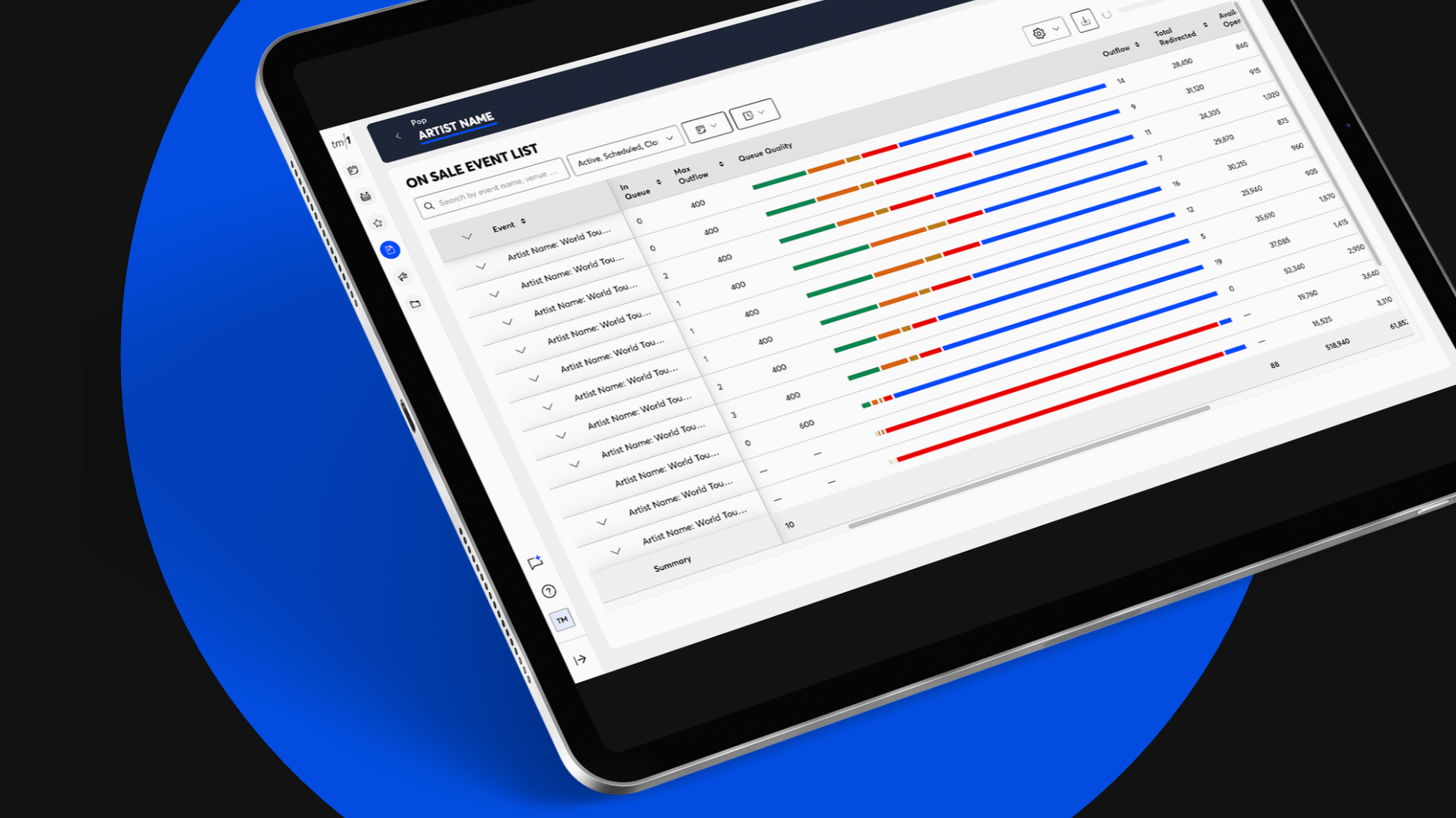
DATA-DRIVEN DECISIONS. SMARTER ONSALES
- Spot demand early: Monitor fan interest through Artist Sign-Ups, Reminders, and page views before tickets go on sale.
- Understand your queue: See how many fans joined, how many have entered the sale, and how many are still waiting.
- Adapt your strategy: Track conversion, tickets sold, and inventory as your onsale happens, and adjust your plan as it goes.
TM1 Demand is a unified dashboard that brings together demand and onsale data, including Artist Sign-Ups, Reminders, SmartQueue, and real-time onsale performance, into a single view to help you make faster, more confident decisions.
How it works:
- In TM1, click Data in the left navigation bar, then select Demand.
- Search for your artist and open their Demand report.
- View performance by tour, market, event, or presale.
- Use demand signals and onsale metrics to inform your inventory, pricing, and marketing decisions with support from your Ticketmaster team.
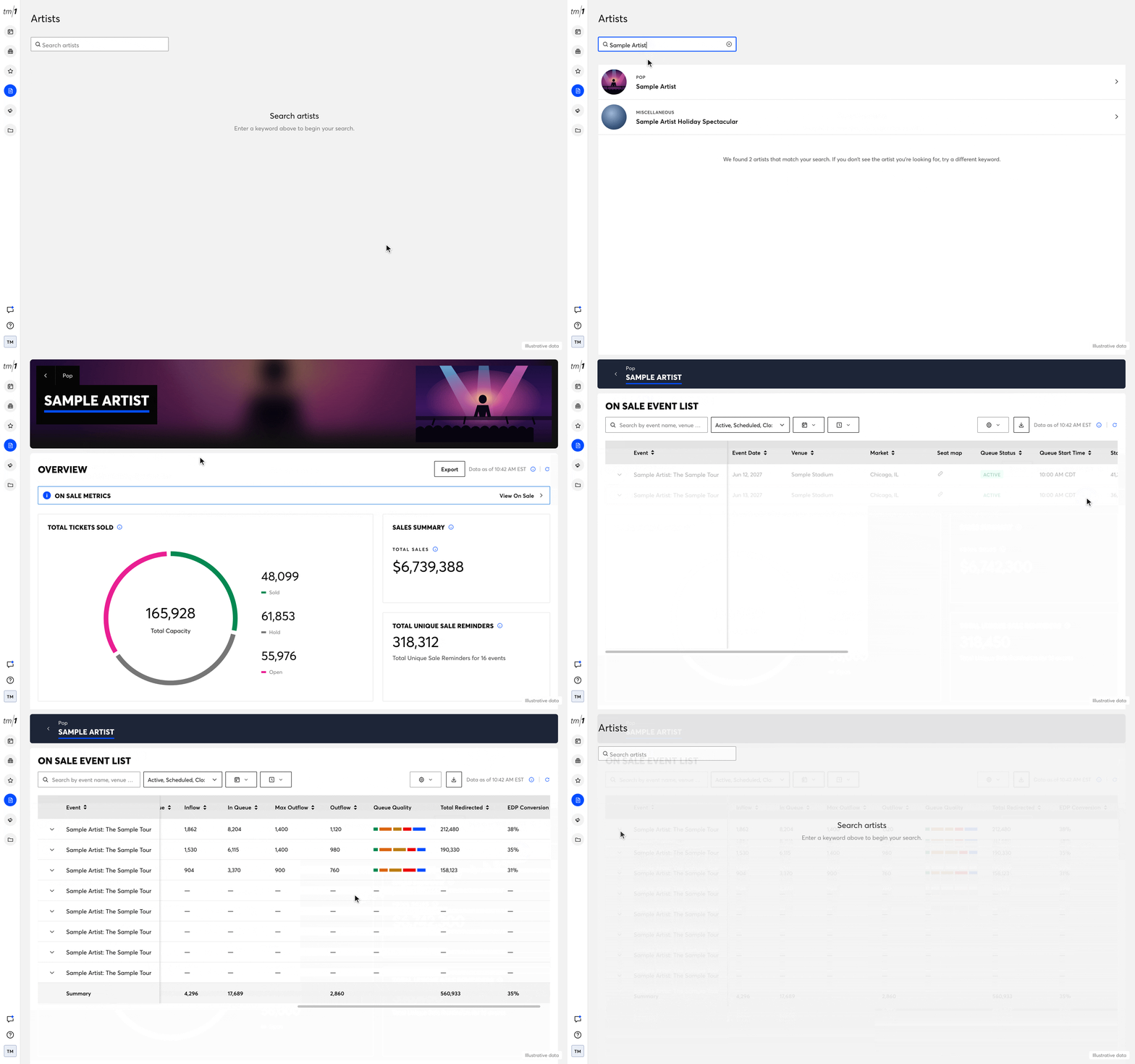
What’s in TM1 Demand
Demand Data
- Artist Sign-Up Data
- Total Reminders and Reminders by Event
- Artist Page Views and Event Page Views
- EDP Conversion
- Historical Data
Onsale Metrics
- Queue Quality
- Unique Fans Joined
- In-Cart Conversion
- Total Redirected
- Unique Outflow
- Open and Sold Inventory
- Total Tickets Sold
TM1 Demand Works Best For:
- Multi-market tours, to compare demand across markets, events, and presales in one place.
- High-demand onsales, to follow queue activity and conversion as the sale happens.
- Planning additional shows, to check demand signals before adding dates or releasing more inventory.
More Insights Coming Soon
- Cross-Shopping Behavior
- Artist Sign-Up Quality
- Global Coverage
- Net Capacity
- Venue Maps
- Sales Schedules
- Stronger Data Signals
FAQs
How do I access TM1 Demand?
In TM1, click Data in the left navigation bar, then select Demand. Search for your artist to open their dashboard.
Does TM1 Demand replace my work with my Ticketmaster team?
No. TM1 Demand gives you more visibility into demand and onsale performance, and your Ticketmaster team remains your partner in acting on it. Please continue to consult your Ticketmaster representative before finalizing show additions, inventory changes, onsale timing, or other tour decisions.
Does the data update during the onsale?
Yes. Queue and onsale metrics update in real time, so the same event will look different at different points in the sale.
Where is TM1 Demand available?
Events in the US, Canada, Mexico, UK, and Ireland.
For more information, please contact your Ticketmaster representative.